Hey, Ty here. This month’s update is about understanding what happens after you share your page, and adding a few more guardrails around incoming messages.
I’ve been looking at product analytics behind the scenes for a while. Seeing how visits turn into messages has been useful for improving whatayarn, and I wanted to give you a way to explore that for your own show.
Analytics dashboard
There’s now an analytics dashboard where you can see page views, incoming messages, and how those numbers change over time.
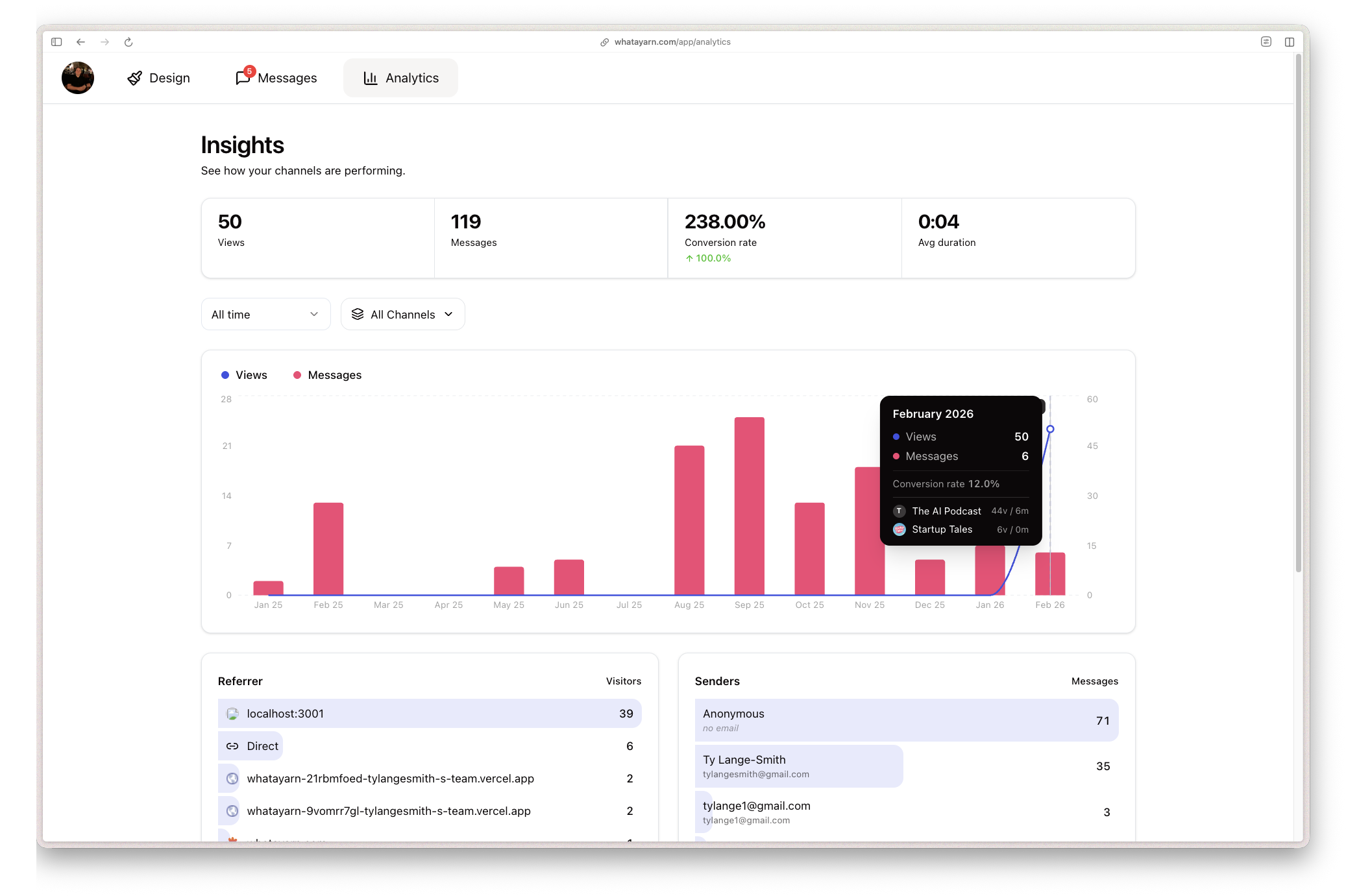
The dashboard brings together:
- Headline numbers. Page views, messages, conversion rate, and average message duration in one place.
- Activity over time. A chart of views and messages, with comparisons to the previous period.
- Page and date filters. Look at one page or all of them, over a period such as the last 7 days, 30 days, or all time.
- Referrers and senders. See where recorded visits came from and which senders have contributed messages.
For example, if you mention your page in an episode, you can look at the days after it goes out and compare visits with messages. It’s a starting point for trying a different question or making your invitation clearer.
Page view tracking starts with this release, while older messages are already included. Keep that difference in mind when looking at all-time totals: earlier messages won’t have matching visit data.
Rate limiting
I’ve also added automatic limits to help slow down bursts of unwanted messages. There hasn’t been much trouble so far, but it felt like a useful piece to put in place as more people start using whatayarn.
Each page now allows 10 message attempts every 10 minutes from the same IP address. When that limit is reached, the sender is asked to wait and try again later.
It’s there to make repeated submissions harder. The limit applies automatically to every page, so there’s nothing you need to switch on.
Give it a try
Open Analytics, choose a page and a date range, and have a look at the messages coming through. I’d love to know what you find useful and what else you’d like to understand about your audience.
Send any ideas or feedback to hello@whatayarn.com. Thanks for helping me keep improving whatayarn.
If you missed it, the first changelog covers how the project got started.