Hey, Ty here. whatayarn isn’t just for voice messages anymore. You can now build a whole form, with written questions, ratings, choices, file uploads and voice in one place.
I’ve been working on this from my study, around my full-time job and an 18-month-old who’s fully embracing toddler life.
In the spring update, I wrote about taking whatayarn beyond voice messages. This is where that ended up.

Why forms?

I started whatayarn in Bali to help podcast listeners leave voice messages, a story I told in the first changelog.
People have since found all sorts of uses for it. I built it for podcast listeners, so I wasn’t expecting weddings, book clubs, feedback forms, or anything outside podcasting really.
I want whatayarn to be useful for more than podcasts. People have asked for ways to collect written answers, ratings and files alongside voice messages, and forms give them that. They also open whatayarn up to customer feedback, event RSVPs and plenty of other things I haven’t thought of yet.
The new editor

I wanted editing a form to work a bit like writing in Notion, with text and questions on the same page.
This took about a month. Most of that went into thinking through this new direction for whatayarn, making sure it felt right, and working out how to build it while every Classic page stayed live. It felt a bit like rebuilding part of the plane while flying it. My first attempt squeezed the new editor into the old voice pages. It couldn’t stretch far enough, so I started again with forms built from scratch and left Classic running beside them.
A form builder sounds simple until you start. Every decision opens up a few more: what happens to responses when you edit a live form, what if someone closes the tab halfway through, what if a recording is still uploading when they press submit. It’s a proper rabbit hole.
In the form builder, you can type an introduction and add questions underneath it. Longer forms can have multiple pages, and you can write a thank-you message for the end.
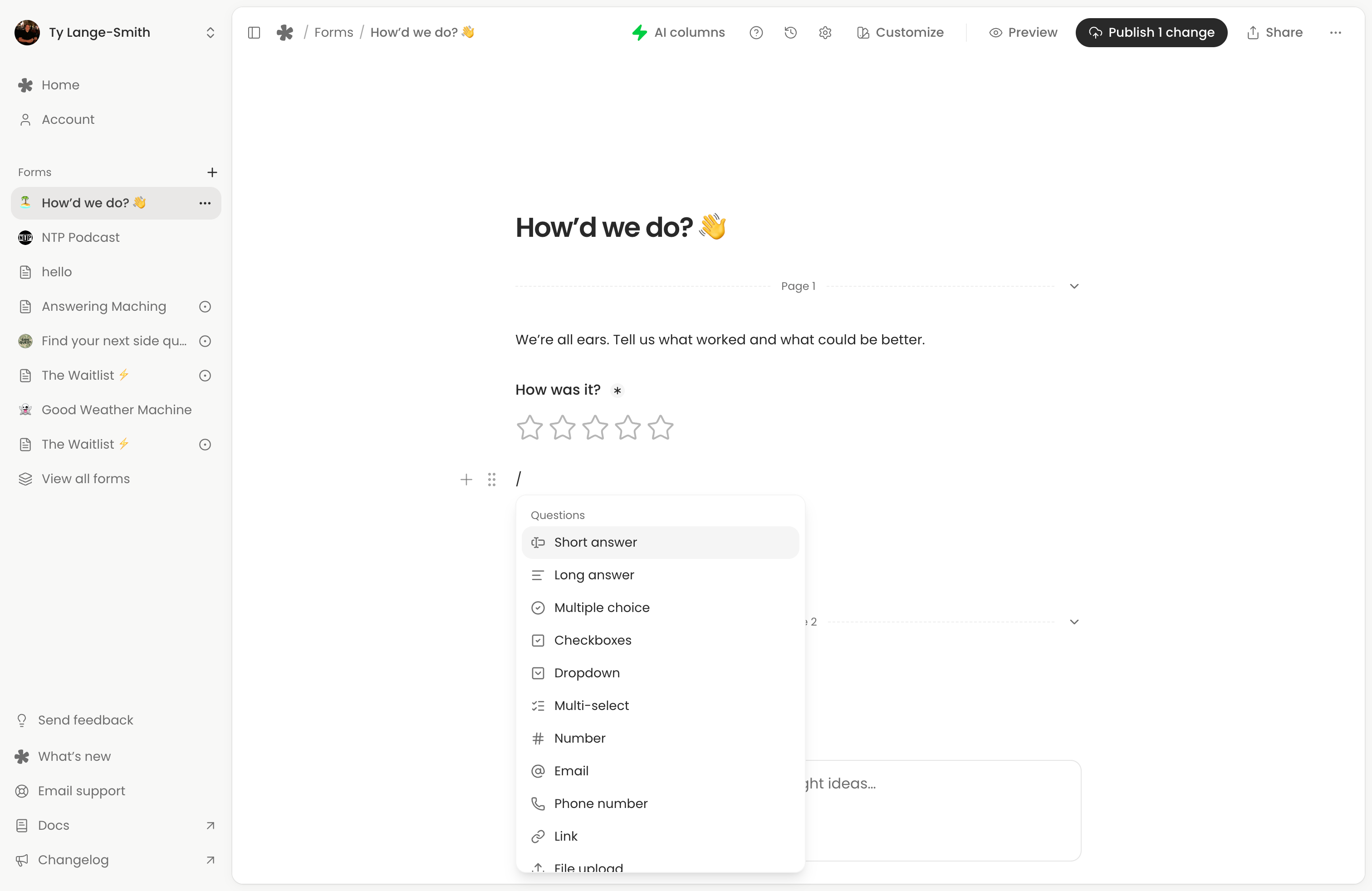
You can change the colours and fonts, add a logo or cover image, and preview the form as you work. Once it’s live, later edits save privately until you select Publish changes, so you can work on the next version while people keep answering the current one.
Much of the work went into answering those questions:
- Partial submissions. On Creator, you can choose to keep written answers even when someone leaves without submitting the form.
- Uploads start before submission. When someone stops recording, the audio starts uploading while they answer the remaining questions. There’s less to wait for at the end.
- Saved progress. Written answers save in the same browser, so someone can leave and come back to finish later.
- Published versions. Each response keeps the questions that person answered, even if you’ve edited the form since.
And this is just the start. Now the foundations are in place and forms are live, I can start building a lot more on top.
Questions and templates

You can now put text, choices, ratings, dates, file uploads and voice questions together in one form. Add the questions you need and share a link people can answer in their browser.
For example:
- A listener Q&A: collect an episode topic, a voice message, and permission to play it on your show.
- Customer feedback: get a rating, then let someone explain what happened in writing or with a recording.
- An event RSVP: gather guest numbers, dietary needs, and the other details you need before the day.
I’ve added templates for these if you’d rather start with a form you can edit.
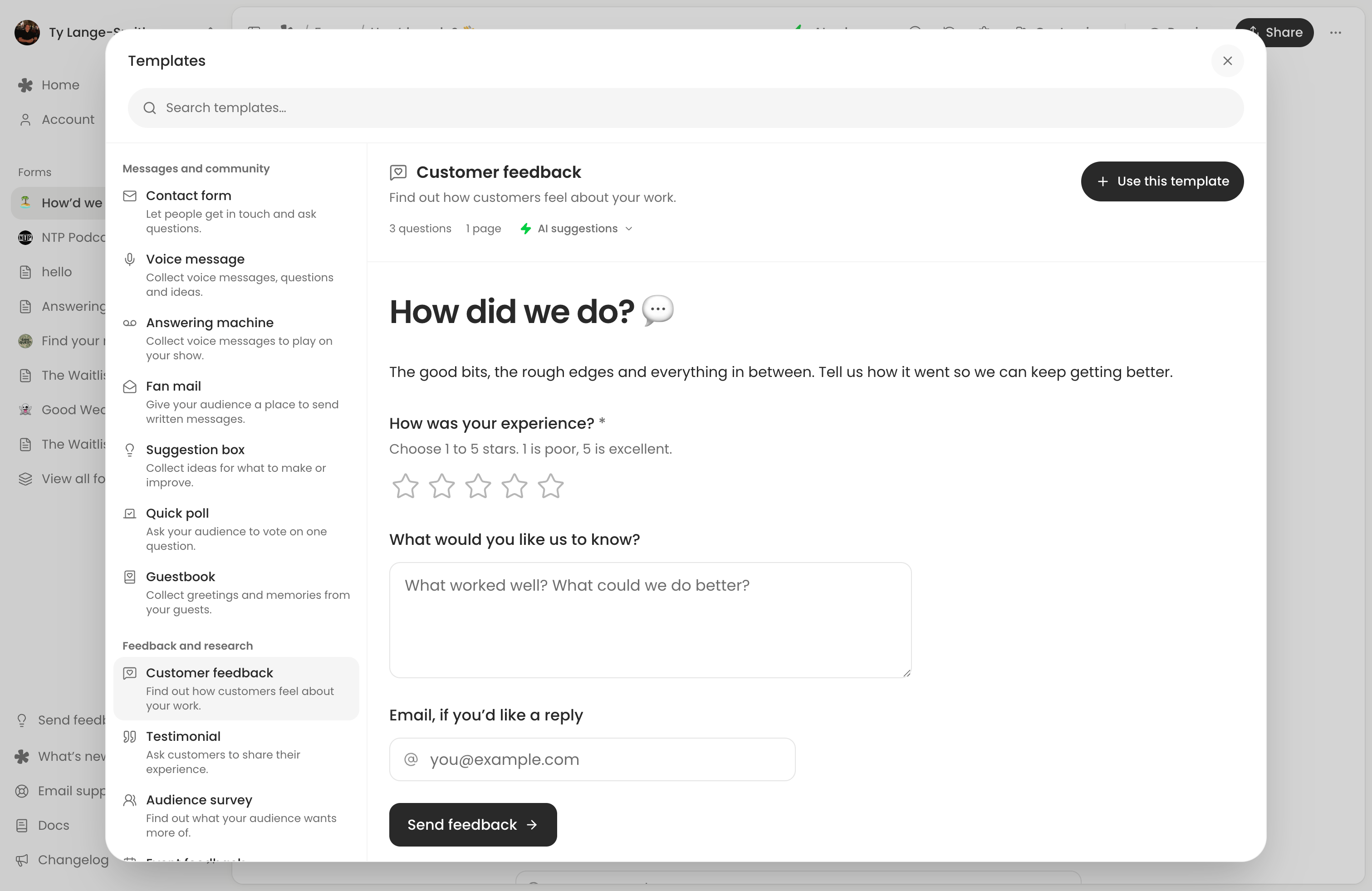
AI columns beside your answers

AI columns are something I’m super excited about. I’ve held off adding AI to whatayarn for a while. I’ve watched plenty of products struggle to add it well, and I wanted whatayarn’s first step to be small and genuinely useful.
Each AI column reads written answers and adds a result beside each response. For example, Sentiment labels the tone of an answer, and Needs reply flags answers that might need a follow-up.
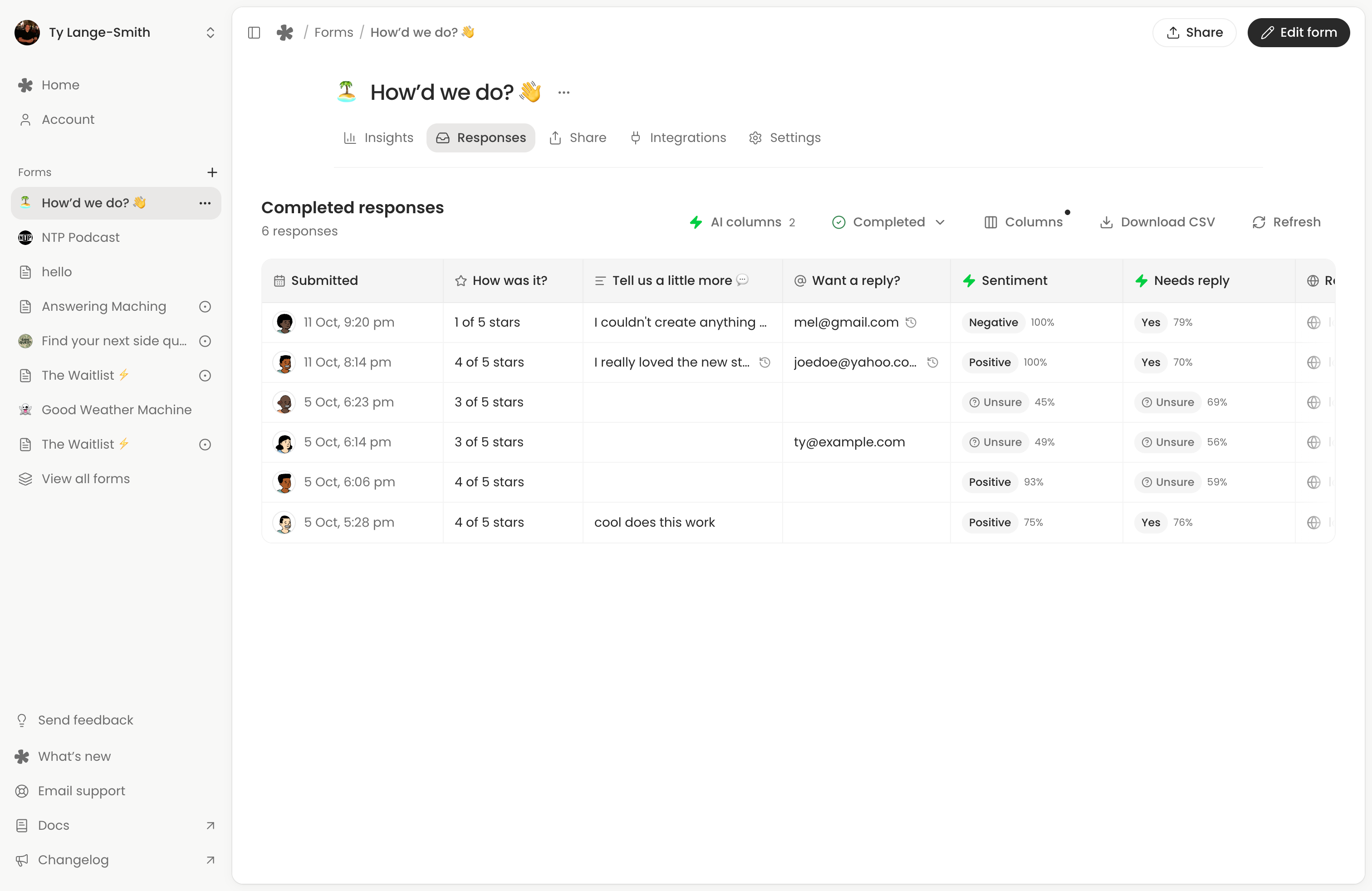
You can filter by those results and see the counts in Insights. On Creator, you can also create columns, choosing the question, possible answers, and rules for how AI should pick between them.
AI will get things wrong sometimes, so you can correct a result. Your corrections stay in place if you run the column again.
I wanted the results right there in the response table, without adding another chat window to manage. It’s a small start, and I’m hoping people find lots of fun uses for it.
Reading responses

Every form has Responses and Insights tabs. You can read answers, play recordings, open uploaded files or download a CSV.
There’s a bunch more coming here, too, like drop-off and journey analytics.
What’s free
It’s really important to me that whatayarn has a solid free tier, so most of this post is free. That includes the builder, templates, question types, design controls, standard AI columns and response tools. Custom AI columns and partial submissions are on Creator. Recording and storage limits depend on your plan; the pricing page has the full comparison.
What this means for Classic

If you’re already using whatayarn, your existing pages, links, and messages are still here.
You can keep using your Classic pages from the forms list, just as you have been.
The next step for me is to move Classic pages into the new builder and retire the older editor and management screens. Your links will keep working, I’ll email you before anything changes, and you won’t need to rebuild your page.
That move hasn’t happened yet. For now, keep using Classic as usual.
What’s next

There’s a lot more on the way. Here’s some of what I’m working on next:
- Conditional logic, so you can show questions or skip pages based on earlier answers.
- Integrations and webhooks, to send responses to tools like Google Sheets.
- Payments and signature questions, for orders, bookings, and anything that needs a sign-off.
- Confirmation emails, so people get a copy of what they sent.
- More control over your forms, like custom domains, custom CSS, password protection, and closing a form on a date or after a set number of responses.
I’ve built the new editor with all of this in mind. I’ll also share another update when the Classic move is ready, and the Coming soon rows on pricing show the rest.
I’m a bit nervous about releasing this. There’s a lot of my spare time in it. If you give the builder a go, let me know how you get on through the form below, especially if something is confusing or doesn’t work.
Thanks for being here, and for helping shape what comes next.