
Connect your whatayarn contact form to Google Sheets and each completed enquiry gets its own row. whatayarn creates a new spreadsheet in the Google account you choose. Both the Sheets connection and the website embed are included on Free. If you already have a whatayarn form, skip straight to connecting Google Sheets.
Start with the contact form template
Try the form below as a visitor. How can we help? and Email address are required. Your name is optional.
Contact form template
Try it here. Nothing is sent or saved.
Choose Use template to make your own copy. Give the form a name you’ll recognise in Drive, such as Print shop enquiries. You can also change the introduction to ask for the details you need to reply. For a print shop, “Tell us what you’re printing, how many copies you need and when you need them” fits above the existing message field.
If you started without an account, choose Publish and sign in using the same browser. The first version saved to your account is live. If you’ve made further edits, choose Publish changes so visitors see the latest wording. Saving and publishing in whatayarn
Connect Google Sheets
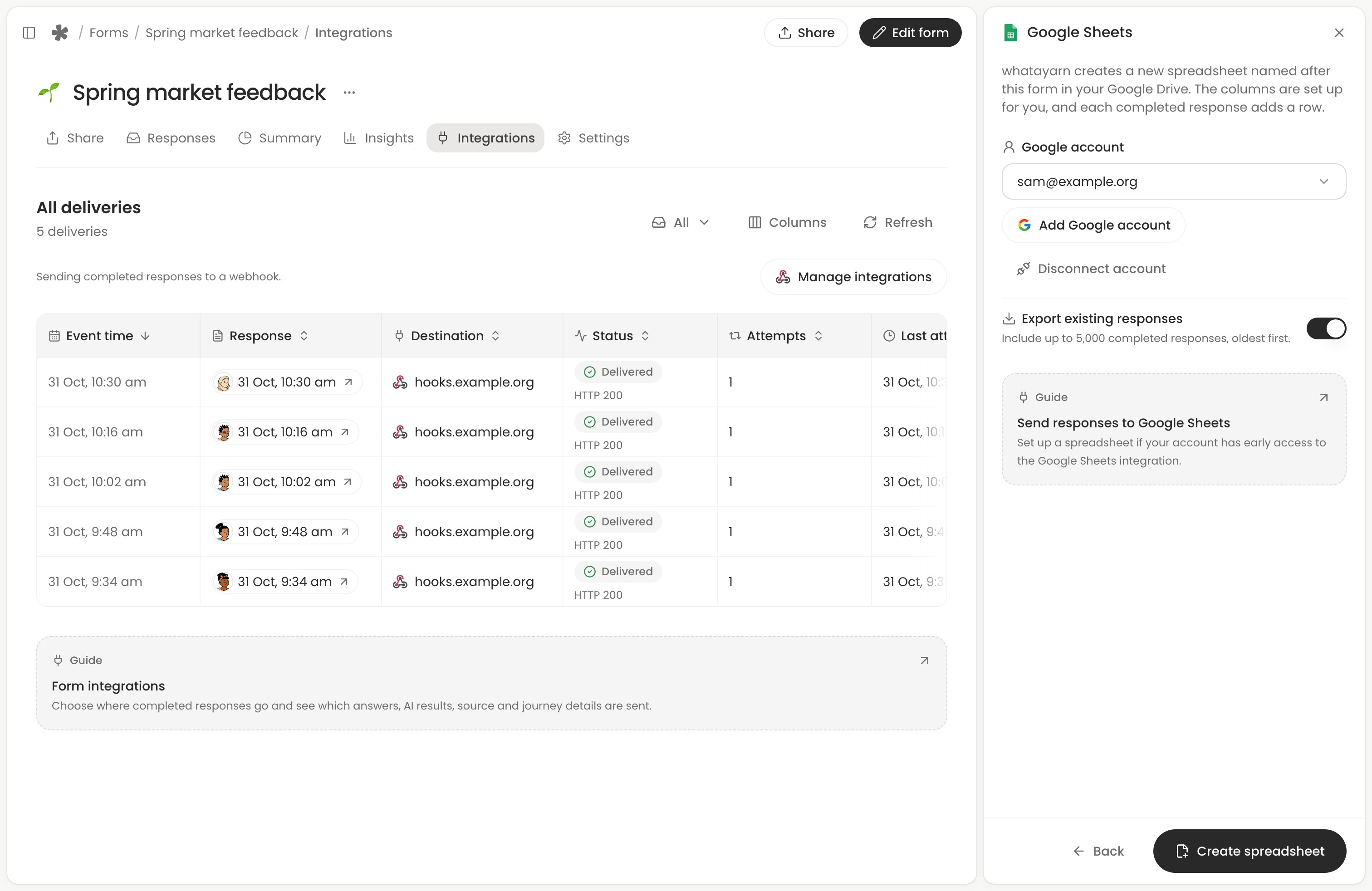
- Open your saved form from your workspace. Select Integrations, then Manage integrations. Choose Connect beside Google Sheets.
- Select Connect Google account, or choose an account you’ve already connected. This account will own the spreadsheet. If your team handles enquiries from a shared work account, check which account is selected before continuing.
- If you already have completed enquiries, turn on Export existing responses to include up to 5,000 of them. For a fresh form, leave it off.
- Choose Create spreadsheet. whatayarn creates a workbook named after your form, with a Responses tab. To find it again, open Google Sheets in Manage integrations and choose Open. Google Sheets setup in whatayarn
If someone else replies to enquiries, use Share in the spreadsheet to give them access. Viewer is enough to read messages. Choose Editor if they’ll keep follow-up notes in the workbook. Your website visitors only need access to the form. Google Drive sharing permissions (opens in a new tab)
Embed the form on your contact page
In whatayarn, open Share and choose Inline embed. Leave Automatic height on so the form fits its questions. Choose Copy code, paste the full snippet into an HTML or code block on your website’s contact page, then publish the page.
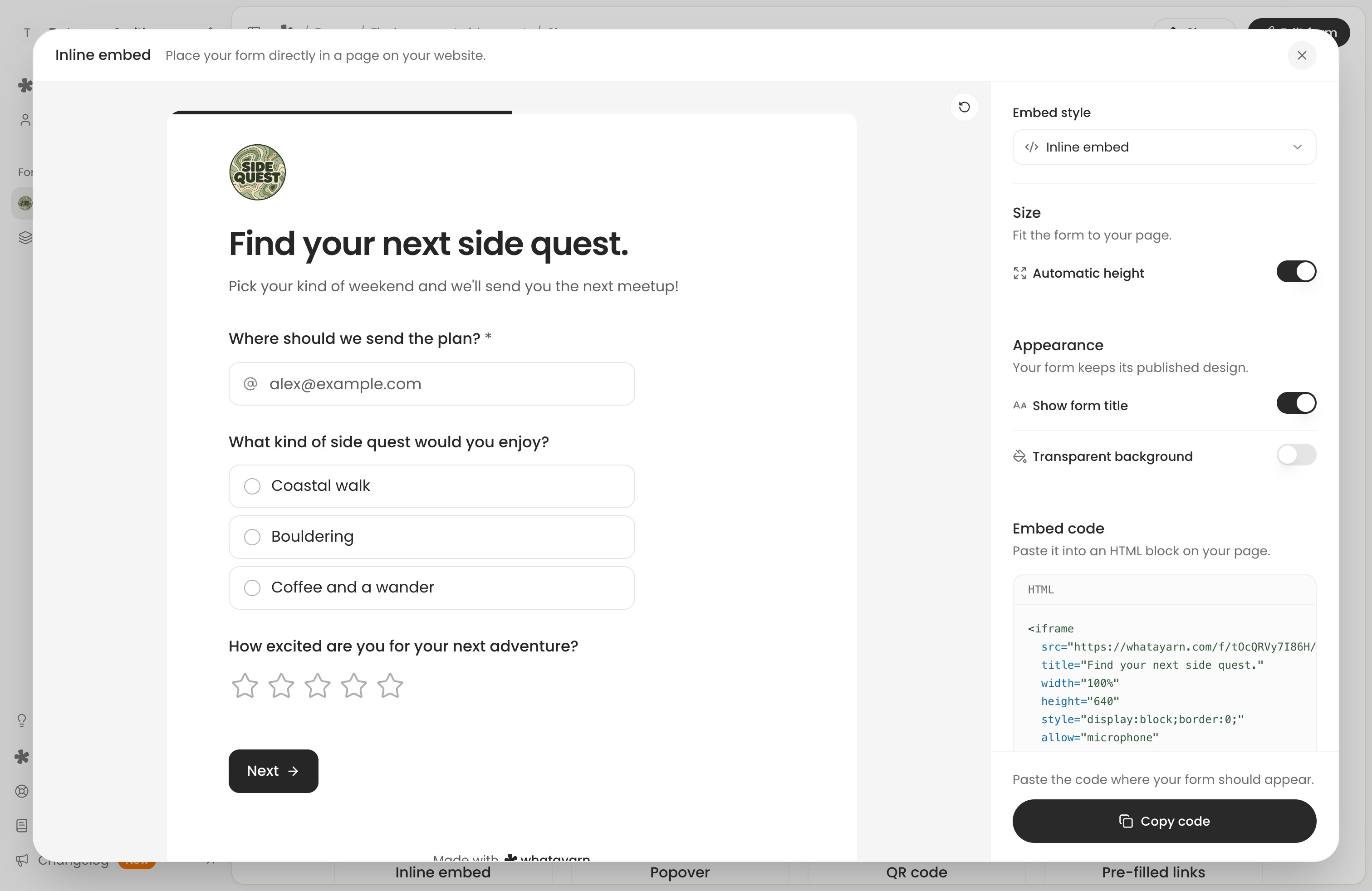
If your site editor strips out the embed code, use Copy link in whatayarn’s Share tab and put that address on a Contact us button instead. Submissions from the link go to the same spreadsheet. Website embed options
Send a test enquiry and find its row
Open your published contact page in a signed-out window. Fill in a message and an email address you control, then choose Send message. Look for the submission in whatayarn’s Responses tab and open the connected spreadsheet to find the matching row.
Here’s what that looks like for the print shop. We ran two fictional enquiries through the whatayarn contact template and delivery code using a simulated Google Sheets API. These are the three answer columns it wrote.
| How can we help? | Email address | Your name |
|---|---|---|
| Could you print 80 menus by Friday? | alex@example.com | Alex Chen |
| Do you also print place cards? | alex@example.com | Alex Chen |
Alex’s two messages got separate Response ID values. Retrying the first delivery kept the count at two rows. When we corrected 80 menus to 90 menus in whatayarn and resent the response, only the menus row changed.
Leave the Responses columns in their original order. whatayarn writes by position, starting with Submitted at (UTC) and Response ID. To track which enquiries you’ve quoted, add a separate tab with Response ID and Quote sent columns. That way the menus and place cards can have different follow-up notes. Manage the spreadsheet
If the row is missing
- Nothing in whatayarn’s Responses tab? Submit from the published page or the live form link and wait for confirmation. Submissions in the template preview stay in the preview.
- The enquiry is in whatayarn but missing from Sheets? In Integrations, find its Google Sheets delivery. Waiting can include a queued send or retry. For a failed delivery, open the error, reconnect the Google account if prompted, then choose Resend. Check delivery status
- The enquiry arrived before you connected Sheets? Open the completed response in whatayarn, choose Send to integration, select Google Sheets and choose Send. For a correction to an enquiry already in Sheets, choose Resend to update its row. Send a response to an integration
If you want to keep a form from another builder
whatayarn’s connection creates a spreadsheet for a whatayarn form. If your existing website form already works for you, the destination options depend on its builder.
- Google Forms can add a response tab to an existing workbook. In Responses, open More and choose Select destination for responses. Google’s destination settings (opens in a new tab) and how linked tabs work (opens in a new tab)
- Contact Form 7 on WordPress can write to a particular tab. With the free GSheetConnector plugin, enter the workbook and tab names and IDs, then match the first-row headings to field names such as
your-email. Connector setup (opens in a new tab) and field mapping (opens in a new tab) - Squarespace form blocks can create a new spreadsheet from the block’s Storage settings. Renaming that workbook later disconnects it. Squarespace form storage (opens in a new tab)
- Hand-coded HTML forms can post to Formspree. Its Google Sheets plugin creates a new workbook and is available on paid plans. Formspree’s HTML setup (opens in a new tab) and Sheets plugin (opens in a new tab)