

On Free and Creator, you can connect a form to Google Sheets. whatayarn creates a spreadsheet in your Google Drive and adds a row each time someone completes the form.
Connect a spreadsheet
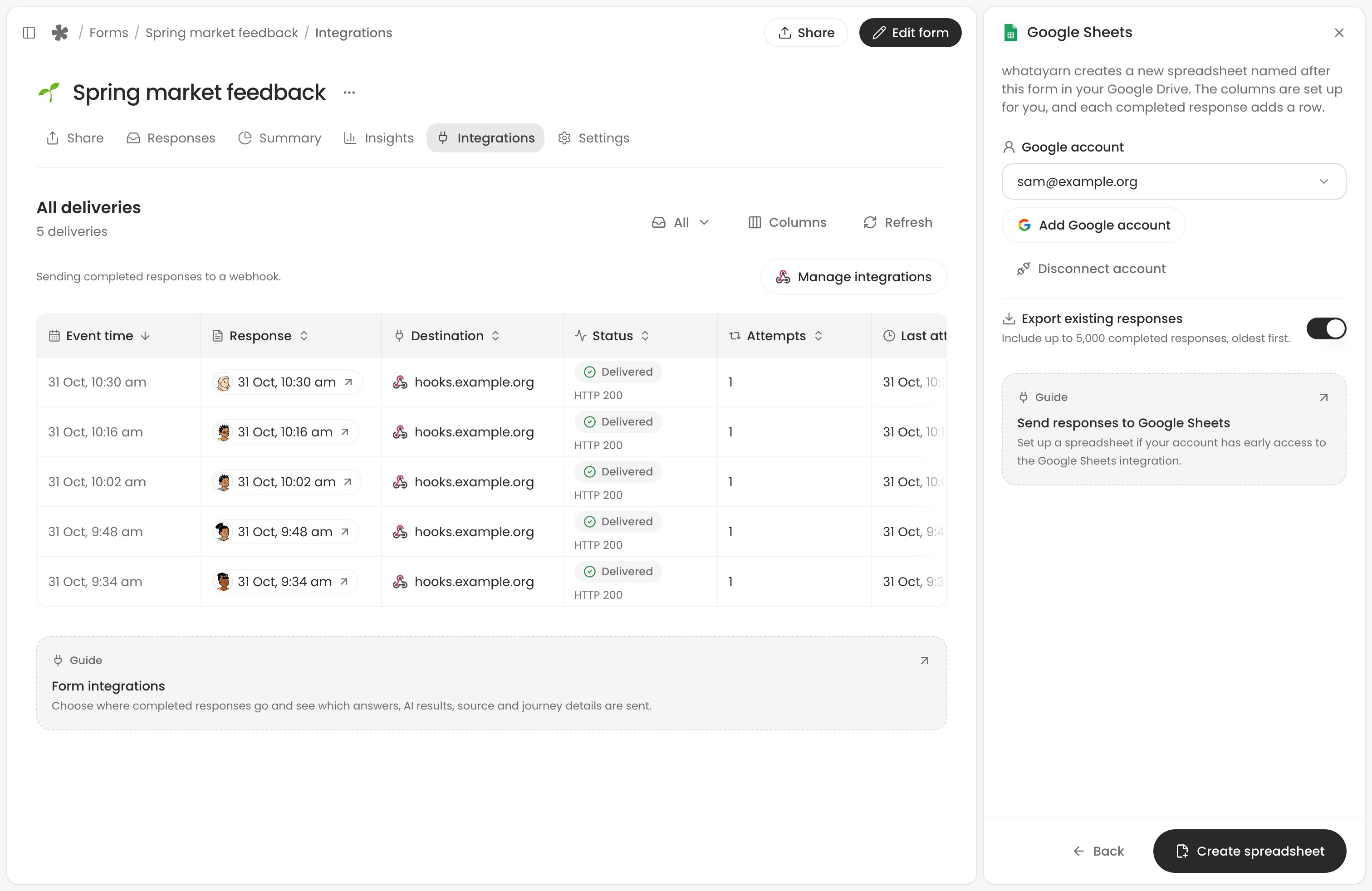
Open your form’s Integrations tab, choose Manage integrations, then select Connect beside Google Sheets.
- Choose Connect Google account, or select a connected Google account. The spreadsheet will belong to that account.
- To include up to 5,000 earlier completed responses, turn on Export existing responses.
- Choose Create spreadsheet. whatayarn names the spreadsheet after your form and adds a row for each new completed response.
The response ID identifies the row. Alongside the submission time and answers, you’ll find calculated fields, AI results and columns such as Time taken (seconds) and Campaign. For example, filter Campaign to newsletter to see responses from a link tagged with utm_source=newsletter. An unknown value leaves its cell blank. See what gets sent.
New questions and AI columns get new columns at the end. A list of choices or files appears on separate lines in one cell. Recording and file links open only for the signed-in form owner.
Manage the spreadsheet
Keep the columns on the Responses tab in their original order. whatayarn fills them by position and uses Response ID in column B to find a row when you resend it. For follow-up notes or a status such as Replied, use a separate tab and record the response ID there.
Choose Manage integrations, then Google Sheets and Open to see the rows. Turn off Send responses to pause deliveries. If Google asks you to sign in again, choose Reconnect in the spreadsheet panel.
Choose Disconnect in the spreadsheet panel to stop sending responses there. The spreadsheet stays in your Google Drive. Deleting a response in whatayarn also leaves its row in the sheet.
If you correct an answer in whatayarn after it has arrived in Sheets, open the response, choose Send to integration and select Resend for Google Sheets to update its row. To find a missing row, check integration deliveries.