
whatayarn has two plans: Free and Creator. Both include unlimited forms and unlimited responses. Start on Free to build, publish and share a form, then read its answers. Creator adds branding controls, more storage and tools for managing responses.
Compare the plans
The comparison below lists available features and labels features that are coming soon. Monthly and yearly Creator billing include the same features.
| Compare plansPrices in USD | Free$0Forever, no card | Creator$15/moUS$180 billed yearly |
|---|---|---|
| BuildMake your form your own. | ||
| Forms Make as many forms as you need. | Unlimited | Unlimited |
| Templates Start from a ready-made form, like an RSVP or a waitlist. | Included | Included |
| Every question type Use text, choices, ratings, dates, voice and files.Use text, choices, ratings, dates, voice and files. | Included | Included |
| Signature questions Let people sign with a finger or a mouse. | Included | Included |
| Question settings Make questions required, set limits and add default answers. | Included | Included |
| Conditional logic Show questions or skip pages based on earlier answers. | Coming soon | Coming soon |
| Answer piping Use earlier answers in later questions, like someone's name. | Included | Included |
| Customise your form Choose your colours, fonts, logo, images and social links. | Included | Included |
| Custom CSS Style any part of your form with your own CSS. | Not included | Coming soon |
| Pages and thank-you screens Add pages and your own thank-you message. | Included | Included |
| Form language Show buttons and messages in your language, including right-to-left. | Coming soon | Coming soon |
| Version history Restore a previous published version. | Not included | Included |
| CollectCollect answers and let people finish later. | ||
| Responses No limit on responses. | Unlimited | Unlimited |
| Recording length How long people can record a voice answer. | 1 minute | 10 minutes |
| Storage for files and recordings Room for uploaded files, voice answers and form images. | 100 MB | 50 GB |
| Email notifications Get an email for new responses. | Included | Included |
| Confirmation emails Send people a copy of their answers. | Not included | Coming soon |
| Save and finish later Answers save automatically, so people can finish later in the same browser.Answers save automatically, so people can finish later in the same browser. | Included | Included |
| Partial submissions Keep Partial answers even if people don't submit.Keep partial answers even if people don't submit. | Not included | Included |
| Payments Take card payments through Stripe. | Coming soon | Coming soon |
| Pause or close a form Stop taking responses whenever you like. | Included | Included |
| Close on a date or response limit Stop taking responses automatically at a set time or count. | Coming soon | Coming soon |
| Larger file uploads Let people send bigger files. | Not included | Coming soon |
| Pre-filled answers Start questions with answers from a link or QR code. Keep them editable, lock them or hide them. | Not included | Included |
| Hidden fields Save details like a table number or campaign with each response, without asking. | Not included | Included |
| Response data retention Choose how long to keep responses. Older responses and their recordings and files are permanently deleted. | Not included | Included |
| ShareShare your form with a link or QR code. | ||
| Share links and QR codes Share a link or QR code, or post it to X, Facebook or LinkedIn. | Included | Included |
| Custom QR codes Add your logo and colours to your QR code. | Not included | Included |
| Custom link previews Choose the title and description people see when you share. | Included | Included |
| Custom form links Choose how your form's link ends, like .Choose how your form's link ends, like whatayarn.com/you. | Not included | Included |
| Custom domains Use your own domain, like forms.yoursite.com. | Not included | Coming soon |
| Embed on your website Show your form inside a page, or as a popup. | Included | Included |
 Remove whatayarn branding Hide the whatayarn logo on your forms. Remove whatayarn branding Hide the whatayarn logo on your forms. | Not included | Included |
| Send people to your website Send people to any link after they submit. | Not included | Included |
| UnderstandRead your answers and see where they come from. | ||
| Answers and form stats Read answers, download a CSV, and track visits and completed forms. | Included | Included |
Integrations and webhooks Send responses to  Google Sheets, Google Sheets,  Notion, Notion,  Airtable, Airtable,  Slack, Zapier or a Slack, Zapier or a  webhook.Send responses to Google Sheets, Notion, Airtable, Slack, Zapier or a webhook. webhook.Send responses to Google Sheets, Notion, Airtable, Slack, Zapier or a webhook. | Coming soon | Coming soon |
| Standard AI columns Organise written responses with Spam, Sentiment, Urgency and Needs reply columns. | Included | Included |
| Custom AI columns Ask your own AI questions with custom answers and rules. | Not included | Included |
| Funnel See how far people get through your form, and which question they stop at. | Not included | Included |
| Respondent journeys Follow each person from where they found your form to the moment they sent it or left. | Not included | Included |
| Visitor details See where visitors come from and which devices they use, like Instagram on an iPhone.See where visitors come from and which devices they use, like Instagram on an iPhone. | Not included | Included |
| Tracking pixels Add Google Analytics or a Meta Pixel to your form. | Not included | Coming soon |
| ControlChoose who can answer your forms, and keep spam out. | ||
| Password-protected forms Ask for a password before people can open your form. | Coming soon | Coming soon |
| Prevent duplicate submissions Stop the same person answering twice. | Coming soon | Coming soon |
| Spam protection Invisible checks keep bots out, with no CAPTCHA to solve. | Included | Included |
Understand the limits
There is no limit on the number of forms or responses on either plan. Very heavy use over several months is covered by our fair use policy.
Allowance | Free | Creator |
|---|---|---|
| Total storage | 100 MB | 50 GB |
| Maximum voice answer length | 1 minute | 10 minutes |
| File upload size | Up to 5 MB per file | Up to 5 MB per file |
Storage is shared across recordings, response files and form images in your account. New uploads stop when your storage is full; existing files remain available. Delete responses with recordings or files you no longer need to make room, after downloading anything you want to keep.
A voice question can set a shorter recording limit than your plan’s maximum. Uploaded audio must fit that question’s duration and file-size allowance; check the limit shown beside the upload control. A file upload question can also set a smaller size limit and restrict file types. When multiple files are enabled, one question can accept up to ten files. See voice questions and form questions.
What both plans include
Both plans include all currently available question types: written answers, choices, ratings, scales, dates, times, rankings, matrices, signatures, voice and file uploads. Start from a template, choose colours and fonts, add a logo, cover and social links, and build pages and a thank-you screen. Use earlier answers in later questions.
Share with a link or QR code, customise its link preview, or embed your form on a website. Get email notifications, review and correct completed answers, download CSVs and view form stats. Pause submissions whenever you need to.
Save and finish later can let respondents return to saved written answers in the same browser. It is separate from Creator’s partial submissions.
Standard AI columns for Spam, Sentiment, Urgency and Needs reply are included on both plans. Existing Topic columns remain supported, but new columns use the current four choices. AI reads written answers, rather than recordings or file contents.
Free forms show a small whatayarn mark.
What Creator adds
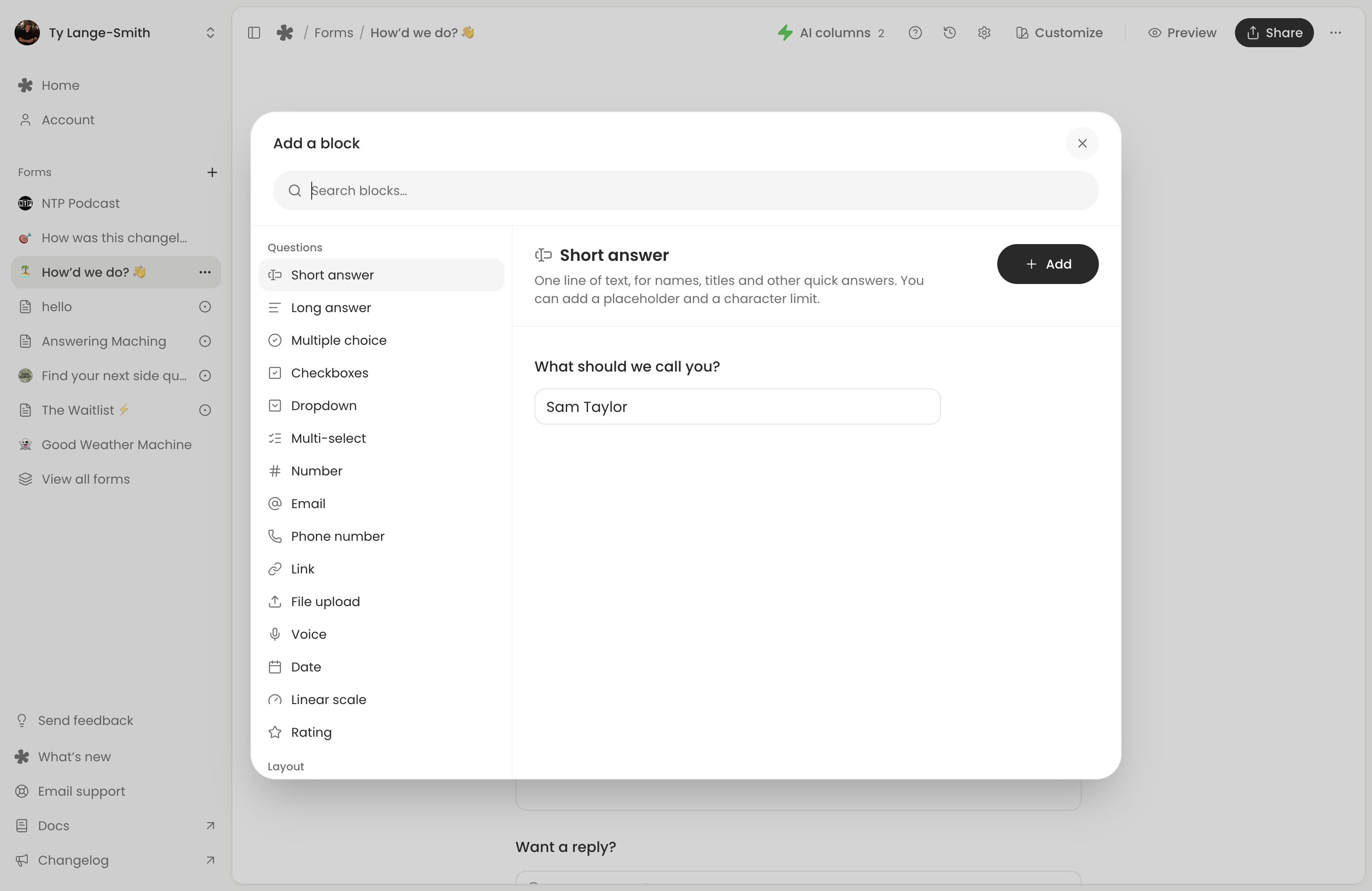
- Remove whatayarn branding from your forms.
- Partial submissions to review written answers from people who started but did not submit.
- Custom form links to choose how the address ends.
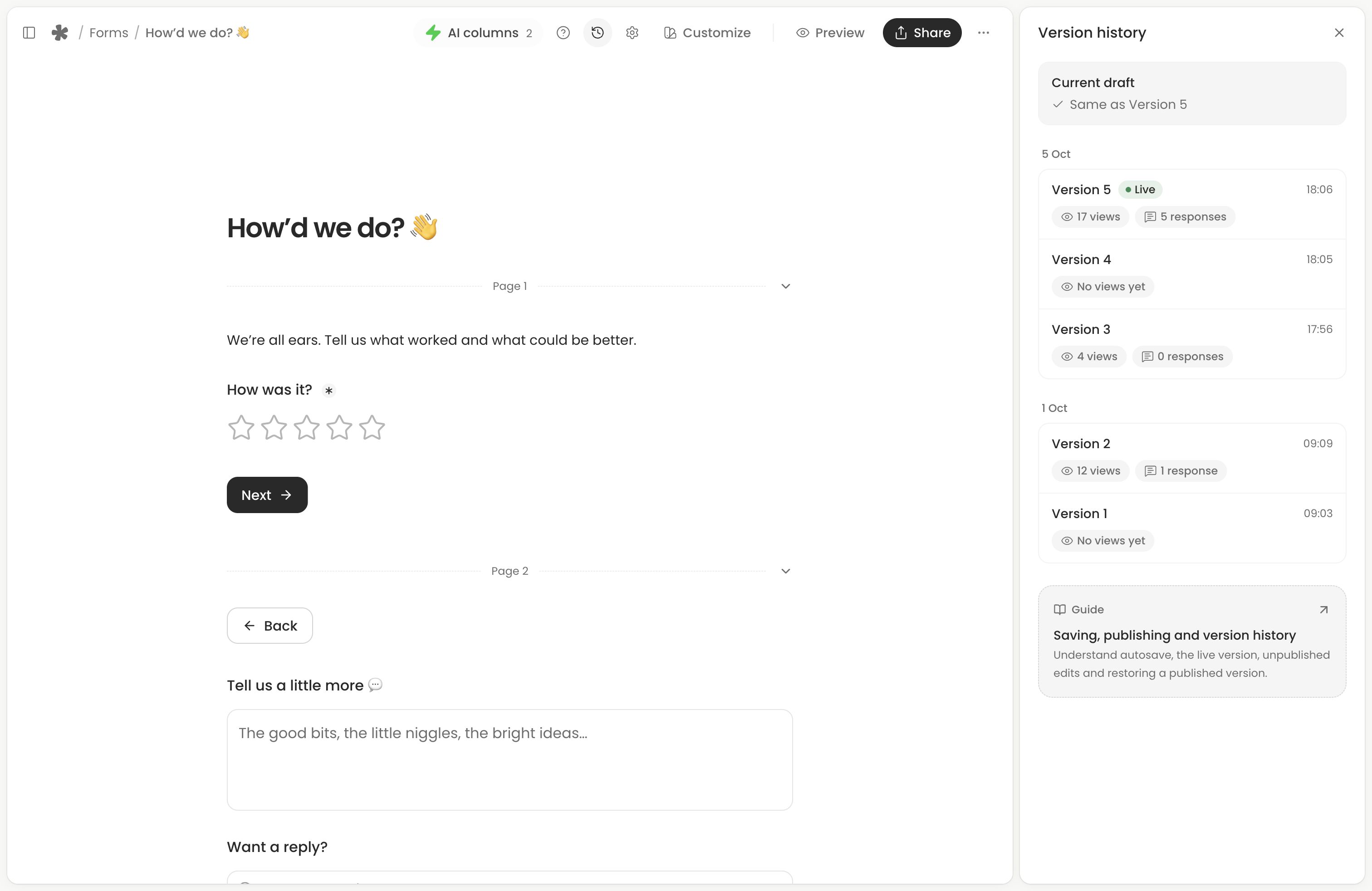
- Version history to restore a previous published version into the editor.
- Funnel to see how far people get through your form, page by page and question by question.
- Respondent journeys to follow each person from where they found your form to sending it or leaving.
- Visitor details to review traffic sources and devices, how many responses each sends, and filter Insights by them.
- Redirect after submission to send people to your website.
- Custom QR codes with your logo and colours.
- Custom AI columns with your own questions, answers and rules.
- Pre-filled answers and hidden fields to fill answers from a link and lock or hide them.
- Response data retention to choose how long responses, recordings and files are kept.
- Longer voice answers and more storage.
Restoring a version does not immediately replace the live form: review it and publish the changes. See publishing and version history. Form settings explains controls such as partial submissions and redirects.
Choose when to upgrade
Upgrade when you need one of those controls or more room for recordings and files. Features labelled Coming soon, including larger file uploads and integrations, are not available yet; choose your plan based on what you can use today.
For current prices, visit Pricing. Manage your subscription in Account (opens in a new tab), following the account and billing guide.
Next action: Check your plan in Account (opens in a new tab) and compare it with the feature or allowance you need.