
whatayarn lets you build forms for feedback, enquiries, RSVPs, questions and more. Combine written answers, choices, ratings, dates, file uploads and voice questions. People answer in their browser without installing an app or signing into whatayarn.
Your form, link and responses
- The editor is where you write questions and instructions, choose the design and set requirements. Start with a template or a blank form.
- The live link opens the published version. Share the link, make a QR code or embed the form on your website.
- Responses collects answers for that form. Open a response to read answers, play recordings and access files, or download a CSV.
- AI columns add results beside written answers, such as Sentiment and Needs reply. You can check and correct those results. Learn how AI columns work.
Opening a form from Forms (opens in a new tab) takes you to Responses. Select Edit to work on its questions and design. Each form also has Insights, Share, Integrations and Settings sections; upcoming controls are labelled in the app.
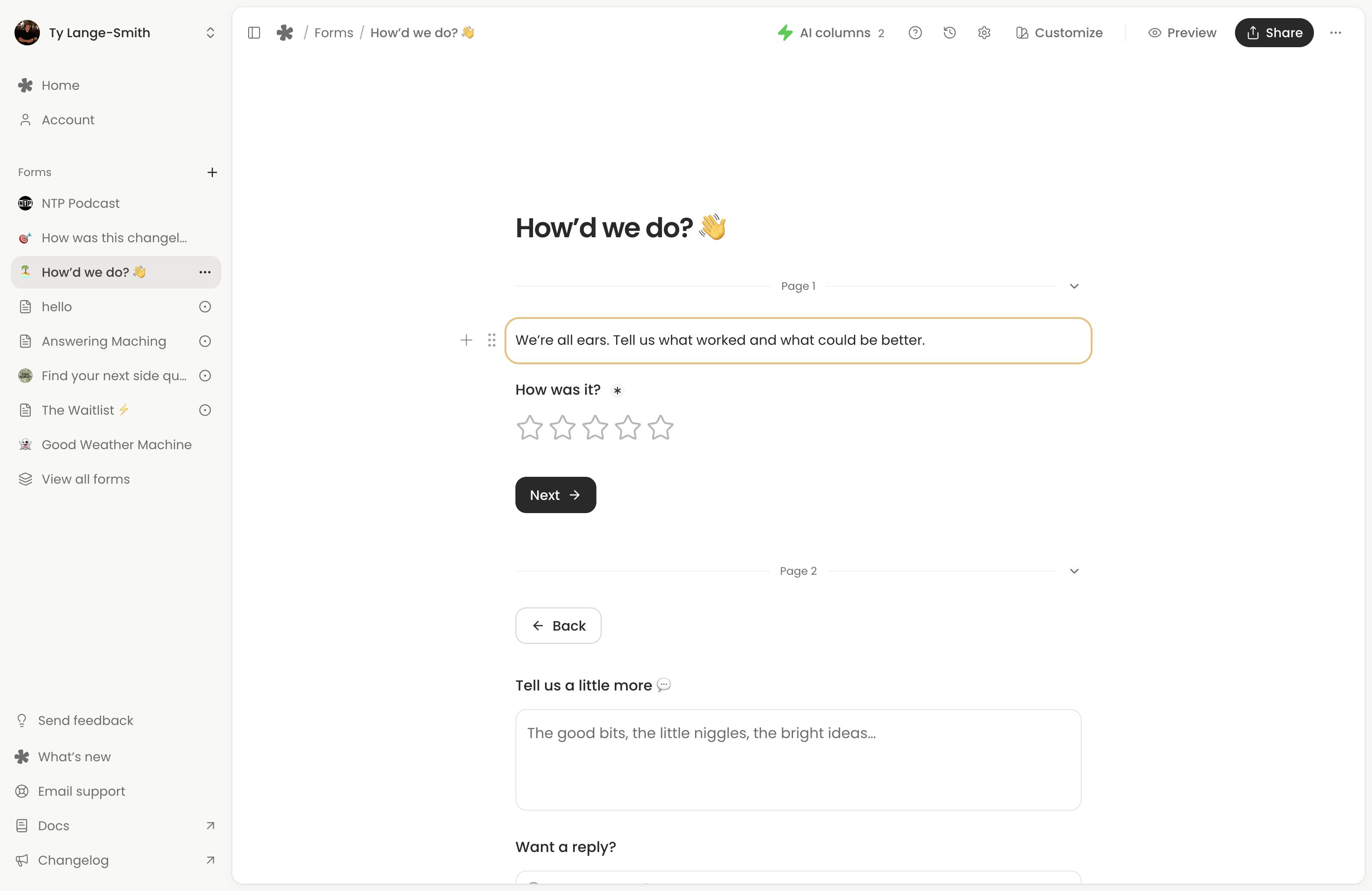
Editing and publishing
The first meaningful save creates a live version and link. An incomplete live form shows a holding message until its questions are ready. Later edits save privately until you select Publish changes, allowing people to keep answering the current version while you edit.
Preview tests your edits without saving responses. Share opens sharing tools for the published version and does not publish your edits. Each response keeps the published questions that person answered. Creator’s version history can restore an earlier version into your draft for review before publishing.
See Saving, publishing and version history for the details. Form settings, including pausing responses, apply directly without publishing.
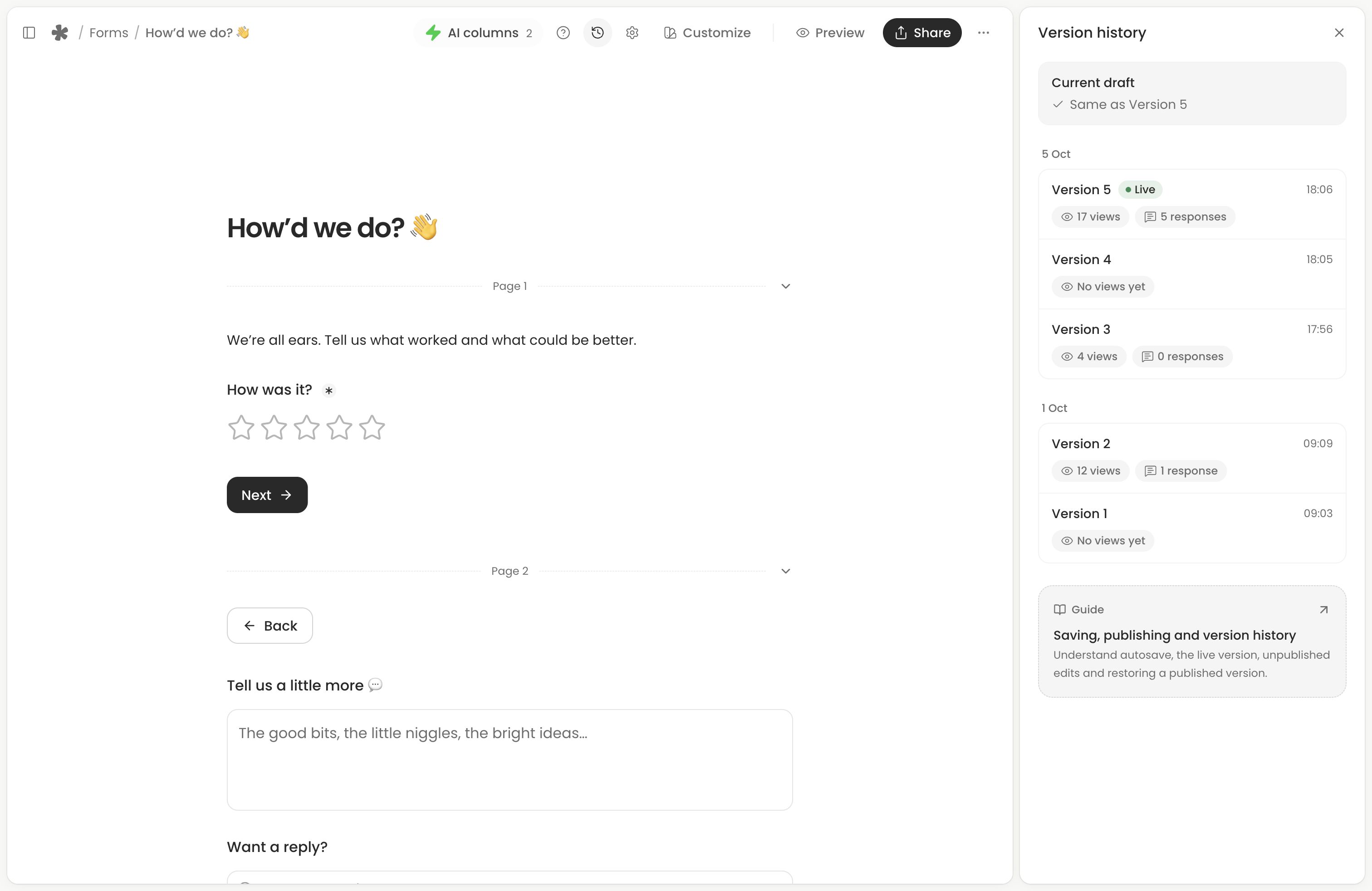
Free and Creator
Both plans include unlimited forms and responses, the current question types, templates, form design, standard QR codes and standard AI columns. Recording length and storage have plan limits.
Creator adds branding removal, custom links and QR codes, custom AI columns, partial submissions, the funnel, respondent journeys, visitor details and version history. Free vs Creator explains the current limits and features.
Existing voice-message pages remain available alongside new forms and are labelled Classic. See Classic forms for their links, messages and editor.
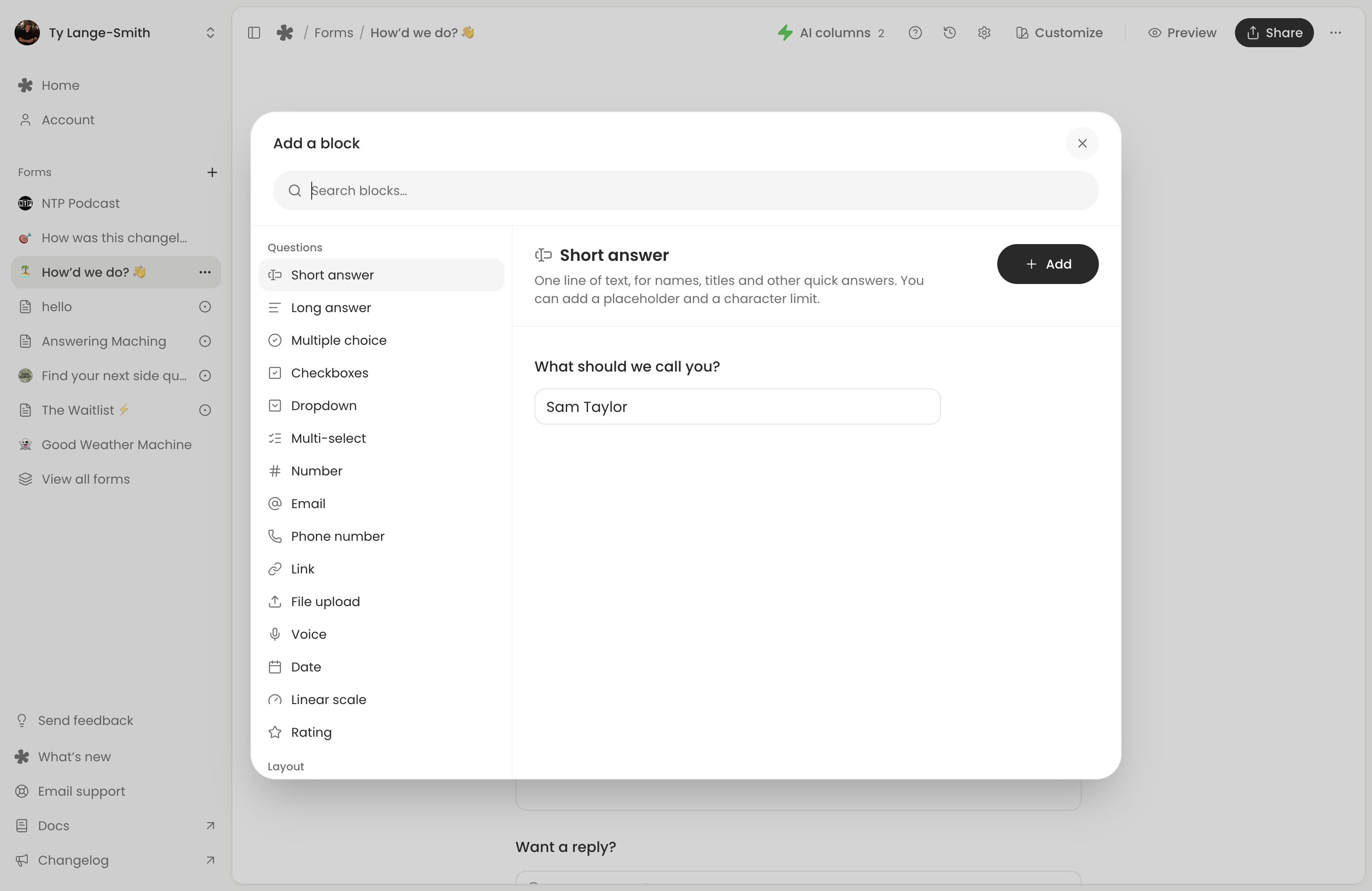
Next action: Create your first form with the Customer feedback template, then publish and submit a real test response.