

A webhook sends an HTTPS POST to your endpoint when someone completes your form. Webhooks are available on Free and Creator. You’ll need the receiving URL from your automation tool or your own service.
Connect your endpoint
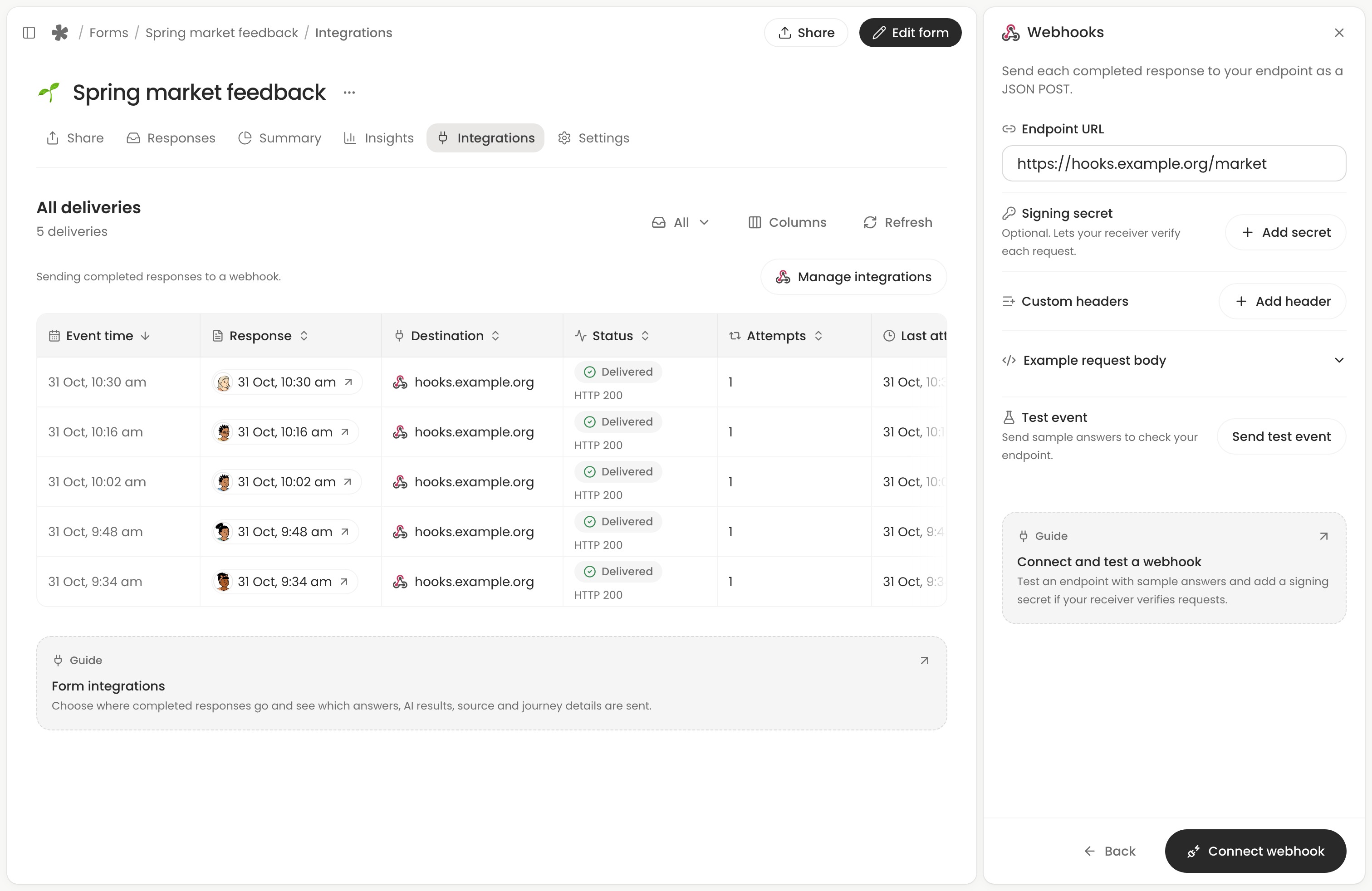
- Open your form’s Integrations tab and choose Manage integrations. Select Connect beside Webhooks, or Add to send to another endpoint.
- Paste the Endpoint URL. If the receiver verifies signatures, choose Add secret beside Signing secret and copy the key into your receiver, or enter its existing key. If the receiver needs an API key or another header, choose Add header and enter the name and value it expects.
- Open Example request body to inspect a sample JSON POST for this form. Choose Send test event to try the settings and see the HTTP result here. Choose Connect webhook when you are ready to send completed responses.
The test uses sample answers for the form’s questions and includes "test": true in the JSON body. Tests sent from a connected destination’s sidebar appear in the delivery table on the Integrations tab.
Verify the signature
Choose Manage integrations, open the webhook, then select Edit beside Endpoint to add, change or remove its Signing secret. To replace it, enter a new key or choose Generate new, then Save changes. On your receiver, read the timestamp t and hex signature v1 from the Whatayarn-Signature header. Use the signing secret as the HMAC-SHA256 key. Hash the timestamp, a literal period and the raw request body, in that order. Compare the hex digest to v1 using a constant-time comparison. Check the timestamp against your receiver’s replay window.
Read the request body
A completed response has the event type form.response.completed. Use data.responseId to match it to a response and data.fields to read its values. Each field has a key, label, type and value. For example, a newsletter link tagged with utm_source=newsletter can produce this entry in data.fields:
Use the field key when mapping a value into your tool. Multiple-choice answers with several selections and rankings arrive as lists. A recording contains its duration and a link. Uploaded files include their names, sizes, media types and links. Only the signed-in form owner can open those media links. The integrations overview explains the answer, AI, source and journey fields, including when a value can be null.
Return a 2xx status within ten seconds. An automatic retry repeats the same event. Use eventId to avoid creating a second item in your tool. A manual Resend keeps that ID and can carry corrected answers.
Check the result
Choose a saved webhook’s test event in the delivery table to see its status, attempt time, HTTP code when available and the fields sent. Choose JSON to inspect or copy the payload. If the endpoint rejected the request, open the destination, select Edit beside Endpoint to correct the URL or headers, then send a fresh test. Check integration deliveries.