
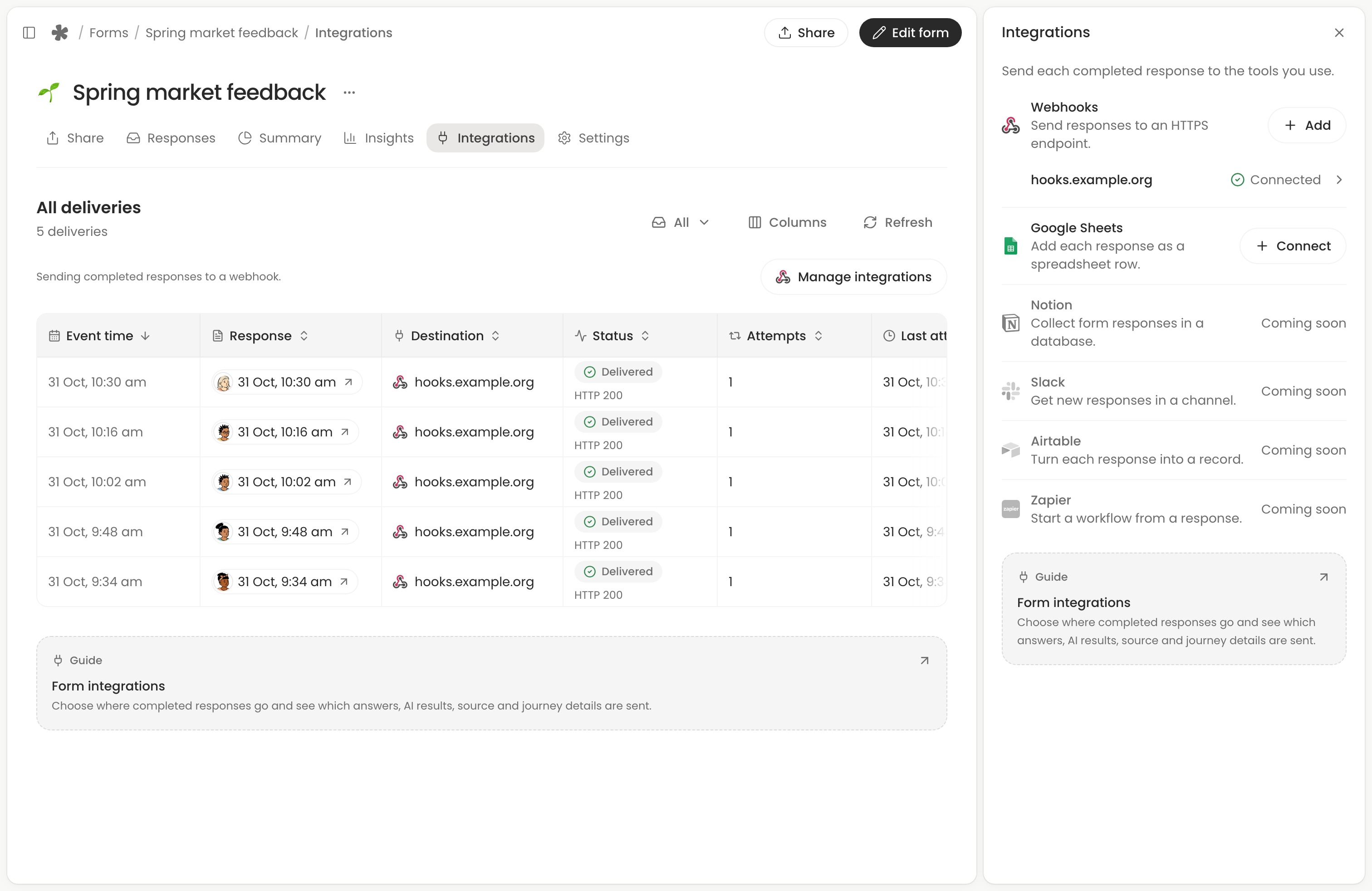
On Free and Creator, you can send completed form responses to Google Sheets or a webhook. Open the form’s Integrations tab and choose Manage integrations to connect a destination.
Choose a destination
- Webhooks send a JSON request to your own service or an automation tool that accepts webhooks.
 Connect and test a webhook.
 - Google Sheets adds a row to a spreadsheet in your Google Drive.
 Connect Google Sheets.
Each enabled destination gets its own delivery. To see whether a response arrived, check integration deliveries. You can also send an earlier response to a destination you connected later.
What gets sent
Only completed responses are sent. Webhooks and Google Sheets receive the same fields: the response ID and submission time, followed by data from the form and the visit. Hiding a column in Responses changes your view of the table. The destination still receives that field.
Field | What gets sent |
|---|---|
| The person’s answers, from the form version they answered. Blank or skipped questions have an empty value. | |
| The calculated result, using that form version’s rules. Numeric results stay numbers. | |
| Each configured AI column’s result label, when available. | |
| Where the visit came from: referring site, browser, device, operating system and approximate location, when captured. Direct means there was no referring site. | |
| How the person answered: answering time, questions shown and answered, return visits, changes and campaign. |
Read the journey fields
Answered and Questions travel as two numbers. For example, if logic showed someone five questions and they answered four, the destination gets 4 and 5. Time taken (seconds) gives their answering time in whole seconds. When step times are available, gaps longer than 30 minutes are excluded.
Came back counts returns after more than 30 minutes away. Changes counts edits the person made to answers, and Campaign carries the link’s utm_source value, such as newsletter. Missing values appear as null in a webhook and as blank cells in Sheets. A recorded zero is a value in its own right.
The page-by-page timeline stays in whatayarn. On Creator, open a response’s Journey to follow its individual steps. Stopped at applies to unfinished attempts, which do not produce an integration delivery.
Recordings and files
Only the signed-in form owner can open the media links. A webhook includes the recording’s duration or each uploaded file’s name, size and media type alongside its link. Sheets puts the links in the answer cell. A signature appears as Signed.
When answers change
A new delivery waits up to 10 minutes for pending AI results. If a result is still pending, its field is empty. The first attempt uses the answers and AI results available when it sends. Automatic retries repeat that payload.
If you correct an answer after delivery or want to send a newly finished AI result, open the completed response and choose Send to integration, then Resend beside the destination. A webhook receives the updated answers with the same event ID. Sheets updates the existing row. Removing the destination or deleting the response in whatayarn leaves copies already delivered with the receiving service.